
Photograph a garment
On a hanger or laid flat. The app coaches you on a good photo, and adds price, sizes and colours.
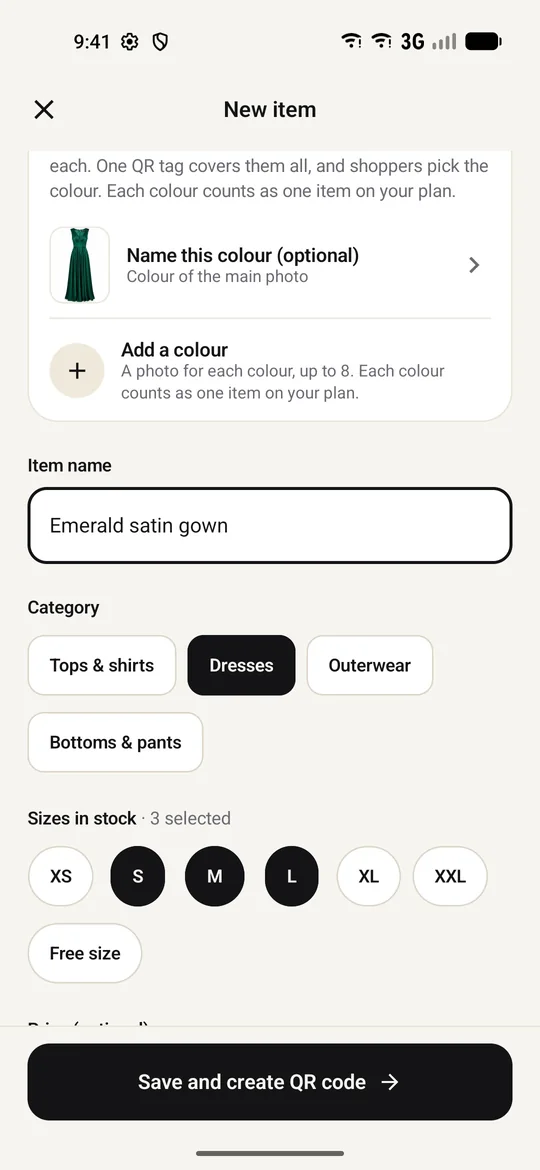
Photograph a garment with your phone and print its QR hang tag. Shoppers scan it and see the outfit on themselves, right at the rack. No trial room queue.

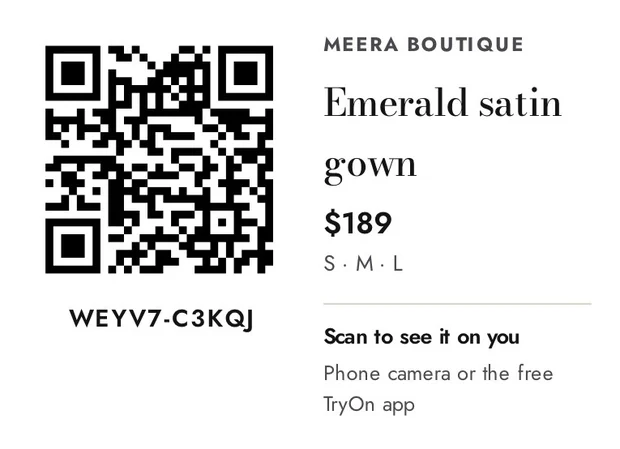
Sample shop data shown
Your customers already scan QR codes to pay every day. Now the same scan shows them your clothes on themselves.
On a hanger or laid flat. The app coaches you on a good photo, and adds price, sizes and colours.
A4 sheets, 8 tags a page, plus a “Try before you buy” poster for your counter. No printer? Send the PDF to a print shop on WhatsApp.
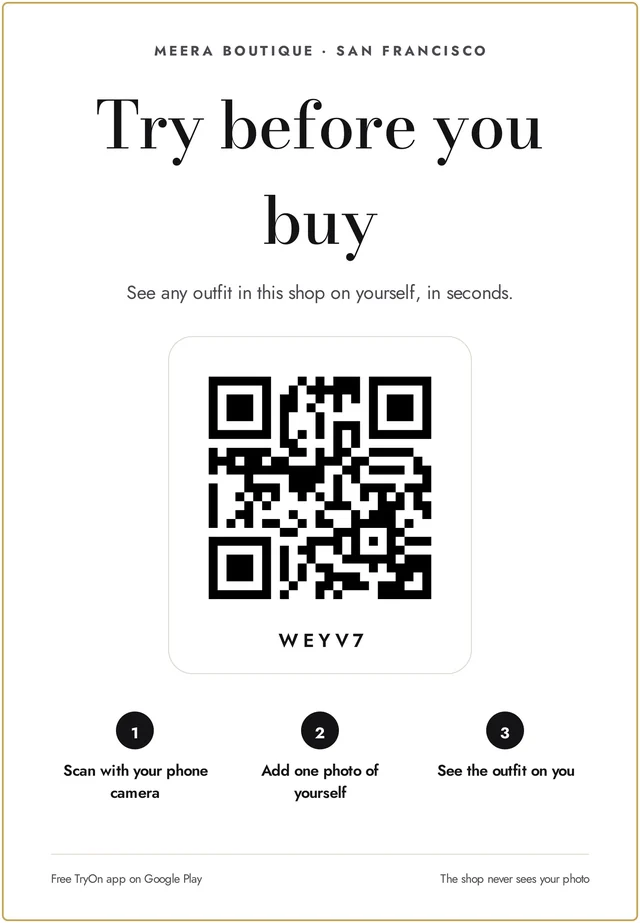
They scan the tag with the Try On AI app, add one photo and see the outfit on themselves. It costs them nothing.
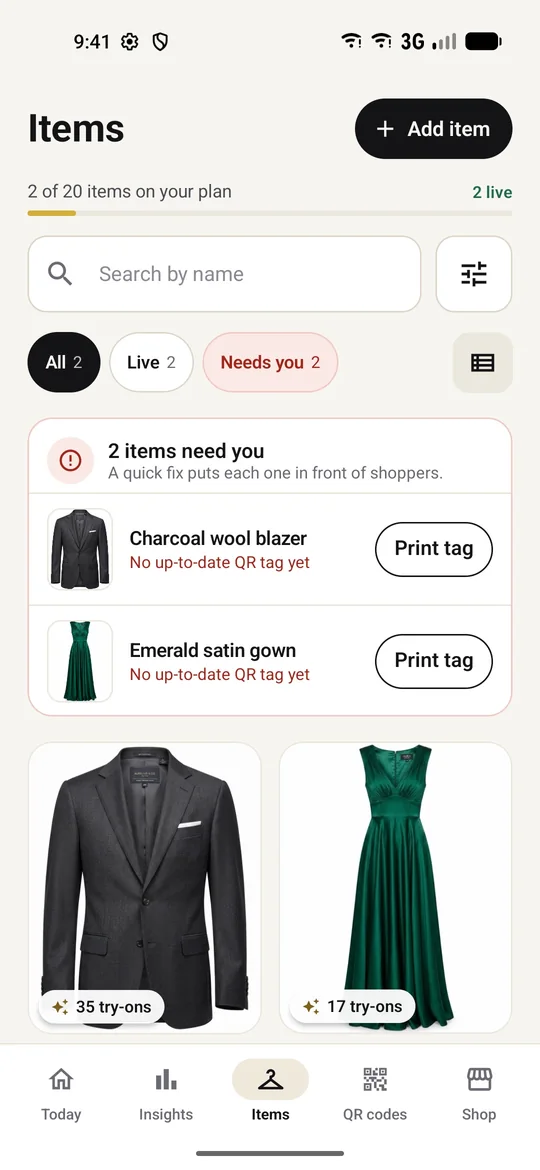
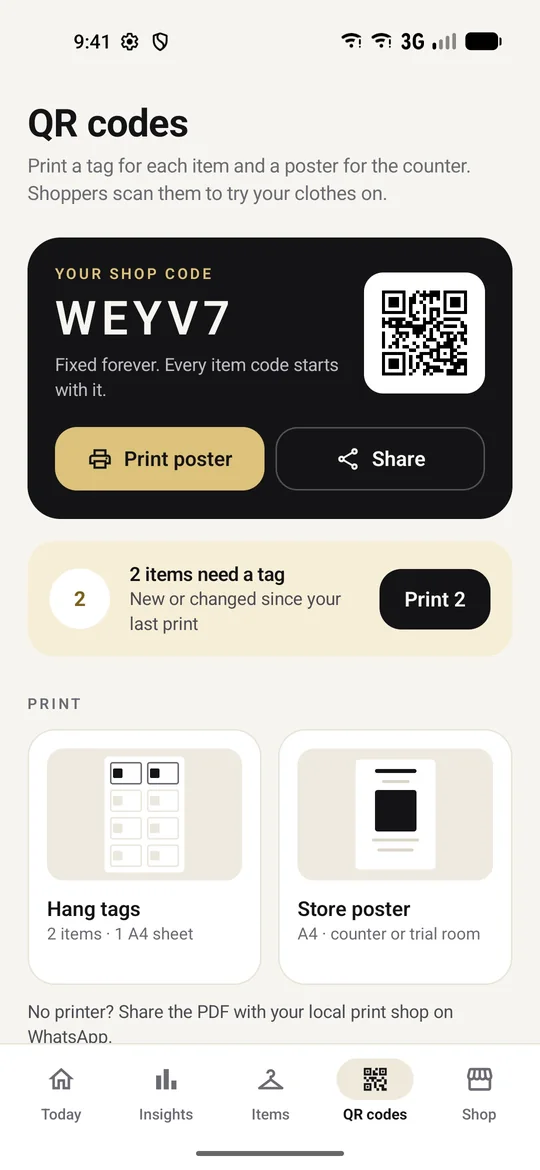
Add each colour as its own photo. Shoppers pick the colour after they scan, so you hang one tag per garment, not one per shade.
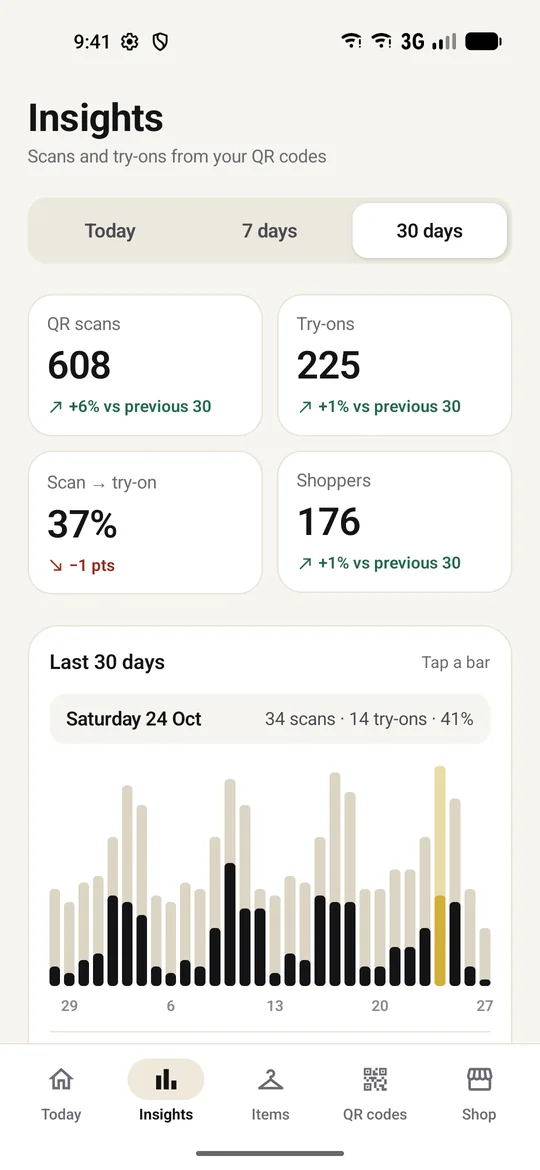
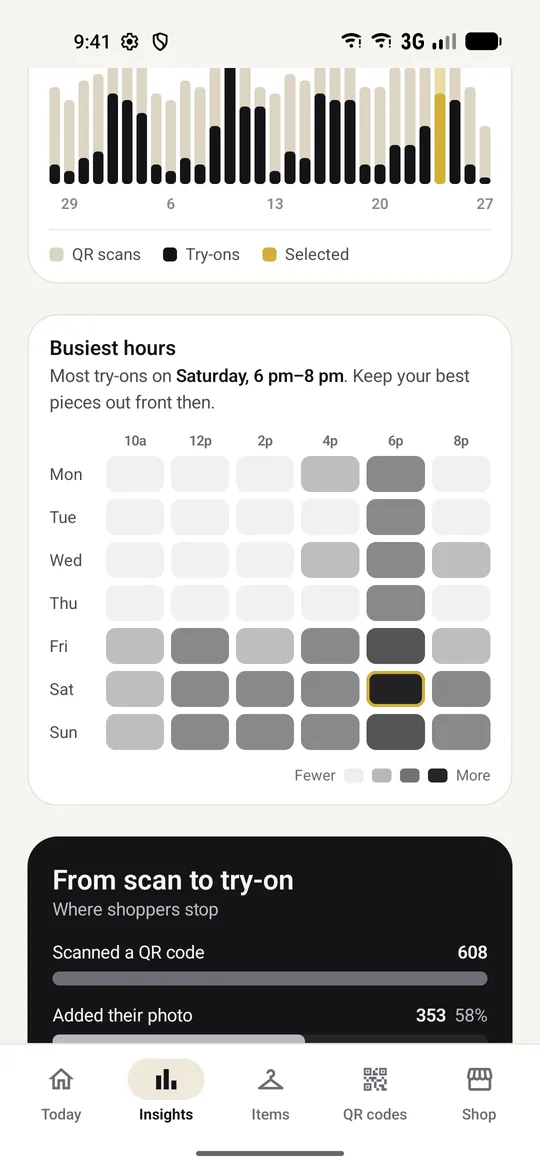
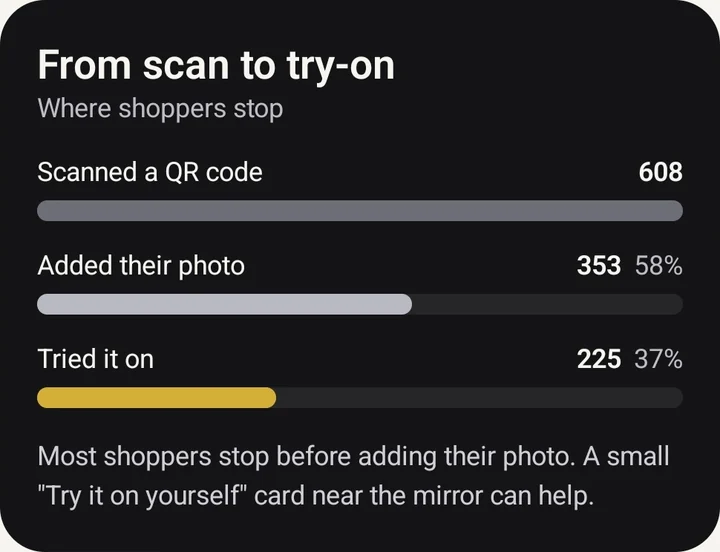
Know which pieces pull people in, which ones they skip, and when your shop floor is busiest.
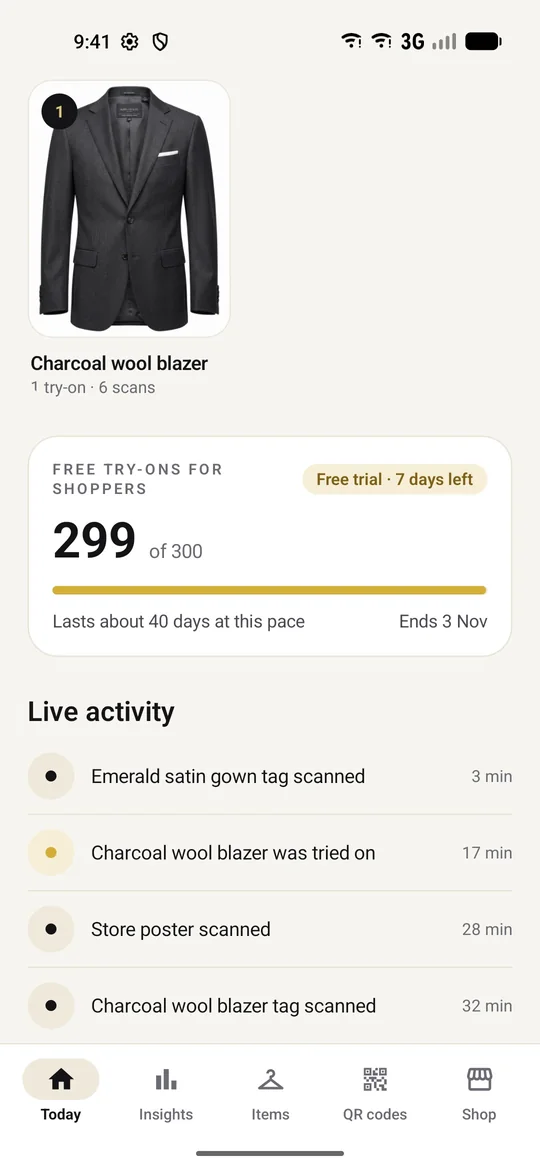
Shoppers only scan if they trust it. So you never see a shopper’s photo, try-on result, name or account. Only totals.
Swipe through real screens from TryOn Business. Sample shop data shown.
Your plan covers your shoppers’ try-ons, so there’s no reason not to scan. Every new shop starts with a free trial once it’s approved.
₹0/ 7 days
Try it with your best sellers.
₹1,999/ month
For a small boutique.
₹4,999/ month
For a busy store with a full range.
₹9,999/ month
For large stores and showrooms.
Add-on pack · ₹1,999 one-time. 200 extra free try-ons for your shoppers. They last 90 days and stay when your plan renews.
Ask about add-onsPrices are per month and don’t include 18% GST. Each colour of an item counts as one item. Plans are paid outside the app, through a payment link we send you. When a plan’s try-ons run out, shoppers can still use their own free daily try-ons. See the Merchant Terms and Refund & Cancellation Policy.
You do, through your plan. Each plan includes a number of try-ons for your shoppers. If they run out, shoppers can still use their own free try-ons, so nothing breaks at the rack.
Counts only: scans and try-ons per item, top items, busiest hours and where shoppers drop off. You never see a shopper’s photo, try-on result, name or account.
No. Everything runs from your Android phone. For tags, send the PDF to any local print shop on WhatsApp; there’s a button for it.
We check each shop before its tags go live, so shoppers only ever scan real stores with real stock. Your 7-day free trial starts once you’re approved.
It’s an AI preview of how the garment looks on the shopper, not a size tool. It works best when your photo shows the whole garment on a plain background, and the app coaches you on that when you add an item. Your normal trial, return and exchange policies still apply.
A deleted item’s tag says “not available”. If you delete your account, all your tags stop working. Codes are never given to another shop. See Delete Account.
Download TryOn Business, set up your shop, and start your 7-day free trial once we approve it.